

Where TSA’s Credential Authentication Technology (CAT2) is available, CLEAR will ask for consent before digitally providing information from your ID to TSA when you go through the Lane, ensuring a secure and seamless verification. Learn more about CAT2 here.
Reactivate your CLEAR+ Membership in these simple steps:
To use the CLEAR+ Lane, you will need to verify with your face. CLEAR is always opt-in—if you don’t want to verify with your face, we can direct you to another way through airport security.
Please let us know here.
Please let us know here.
CLEAR ID is a free digital ID that you can use at TSA checkpoints nationwide. By uploading your passport in the CLEAR App, you can create your CLEAR ID in seconds without having to leave your home. You should always have a REAL ID-compliant document with you when you fly, but with CLEAR ID, it stays in your bag.
CLEAR ID is free and takes seconds to make—all you need is the CLEAR App and your passport. Simply download the CLEAR App, go to the ‘Vault’ tab, and add your passport. Then, use your CLEAR ID as your digital ID at TSA checkpoints nationwide. You should always have a REAL ID-compliant document with you when you fly, but with CLEAR ID, it can stay in your bag.
You can use CLEAR ID at select TSA checkpoints nationwide. You should always have a REAL ID-compliant document with you when you fly, but with CLEAR ID, it can stay in your bag.
Yes, CLEAR ID is free and easy to use. All you need is the CLEAR App and your passport.
CLEAR ID is your free digital ID that you can use at TSA checkpoints nationwide. You should always have a REAL ID-compliant document with you when you fly, but with CLEAR ID, it stays in your bag. CLEAR+ is our paid airport Membership that lets you speed through airport security. With CLEAR+, you’ll get access to our dedicated Lanes nationwide where our friendly Ambassadors will help you verify You Are YOU at a CLEAR Pod.
As a CLEAR+ Member, you can continue verifying your identity using our face-first technology in CLEAR+ Lanes. At airports that don’t have CLEAR+, you can use CLEAR ID as your digital ID, so your physical ID can stay in your bag. As a reminder, you should always have a REAL ID compliant document with you when you fly.
With just one tap, the CLEAR App helps you turn travel days into great days—all in one connected experience.
Yes, the CLEAR App is free. With the CLEAR App, know exactly when to leave to get to your gate perfectly on time, book CLEAR Concierge for your VIP experience through the airport with just one tap, and be travel ready with CLEAR ID—your digital ID at TSA checkpoints nationwide.
To log in to the CLEAR App, use the one-time passcode sent to your phone number or email address on file. If you don’t receive the code, check your spam folder and make sure you’re using the phone number or email address linked to your account.
Should you choose to participate, CLEAR, a Registered Traveler provider, will provide your data to TSA every time you travel using CLEAR at the airport. If participating in CLEAR eGates, CLEAR will automatically provide TSA with your CLEAR eGate photo, ID photo used to enroll, and identity information, as well as certain information from your boarding pass. If participating in RT CAT Transmission, CLEAR will automatically provide TSA with your ID photo used to enroll and identity information. Your photo is deleted after verifying your identity.
TSA will use your data for the purposes of identity verification and enhancing transportation security under the authority of the Aviation and Transportation Security Act. TSA may share information that you provide with CBP, DHS S&T, or others as necessary under the published System of Records Notice (SORN) - DHS/TSA-001 Transportation Security Enforcement Record System or DHS/TSA-019 Secure Flight Records, as applicable.
If you choose not to participate, you will be required to present a valid identification at the airport checkpoint in order to travel.
For more information on DHS/TSA Privacy policies or to view the Privacy Impact Assessment and SORN, please see the DHS Privacy website.
For more information on acceptable identification at the TSA checkpoint, please visit www.tsa.gov/travel/security-screening/identification.
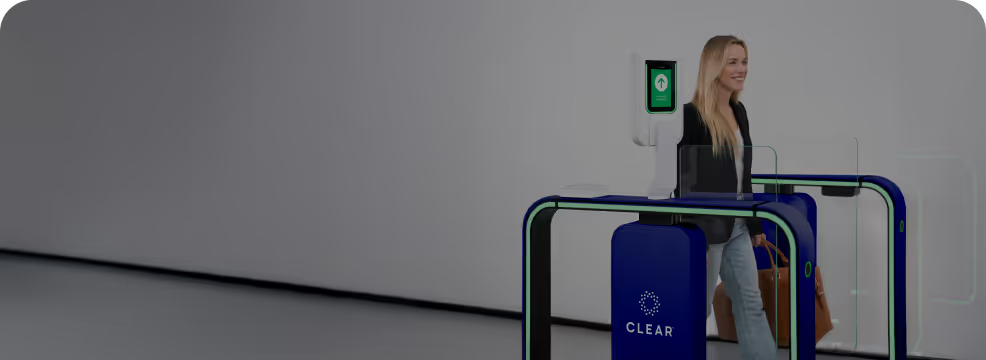
CLEAR is bringing eGates to U.S. airports for the first time ever—an innovative, automated technology that strengthens security and enhances the customer journey. Simply scan your boarding pass when you enter the CLEAR+ Lane and walk straight up to the eGate, where you will verify with our face-first technology. Then, go directly to bag screening—no need to stop at a CLEAR Pod or TSA podium.
CLEAR eGates are currently rolling out across our nationwide network. Verify instantly at our eGate and go directly to bag screening—no need to stop at a CLEAR Pod or TSA podium.
Yes, eGates are exclusive to CLEAR+ Members. Verify instantly at our eGate and go directly to bag screening—no need to stop at a CLEAR Pod or TSA podium.
Today, minors traveling with Members cannot use eGates, but they are still able to access the CLEAR+ Lane for a frictionless experience.
Yes, using the eGate is entirely optional. CLEAR+ Members who don’t want to use the eGate can continue verifying face-first with CLEAR EnVe Pods. CLEAR+ Members who do want to use the eGate can verify instantly at our eGate and go directly to bag screening—no need to stop at a CLEAR Pod or TSA podium.
Only you provide the images and biometrics we use, and they are only used for the services you signed up for. CLEAR eGates use facial biometrics to verify You Are YOU.
Yes, using the eGate is entirely optional. CLEAR+ Members who don’t want to use the eGate can continue verifying face-first with CLEAR EnVe Pods. CLEAR+ Members who do want to use the eGate can verify instantly at our eGate and go directly to bag screening—no need to stop at a CLEAR Pod or TSA podium. CLEAR is always opt-in—if you don’t want to verify with your face, we can direct you to another way through airport security.
Yes! CLEAR+ Members can now verify even faster with our new eGates.
You can enroll in CLEAR+ with a passport from:
Atmos Rewards and CLEAR have partnered to bring more value to Atmos™ Rewards Members.
Titanium members: $129 annual Membership ($90 savings on CLEAR+)
Platinum, Gold, and Silver members: $179 annual Membership ($40 savings on CLEAR+)
Atmos Rewards members: $209 annual Membership ($10 savings on CLEAR+)
New to CLEAR? Click here to enroll and attach your Atmos Rewards number to receive preferred pricing.
Existing CLEAR+ Member? Click here to add your Atmos Rewards number to receive preferred pricing.
Try a new search with different keywords.

Scan to download app
Apple Store

Google Play






.svg)
